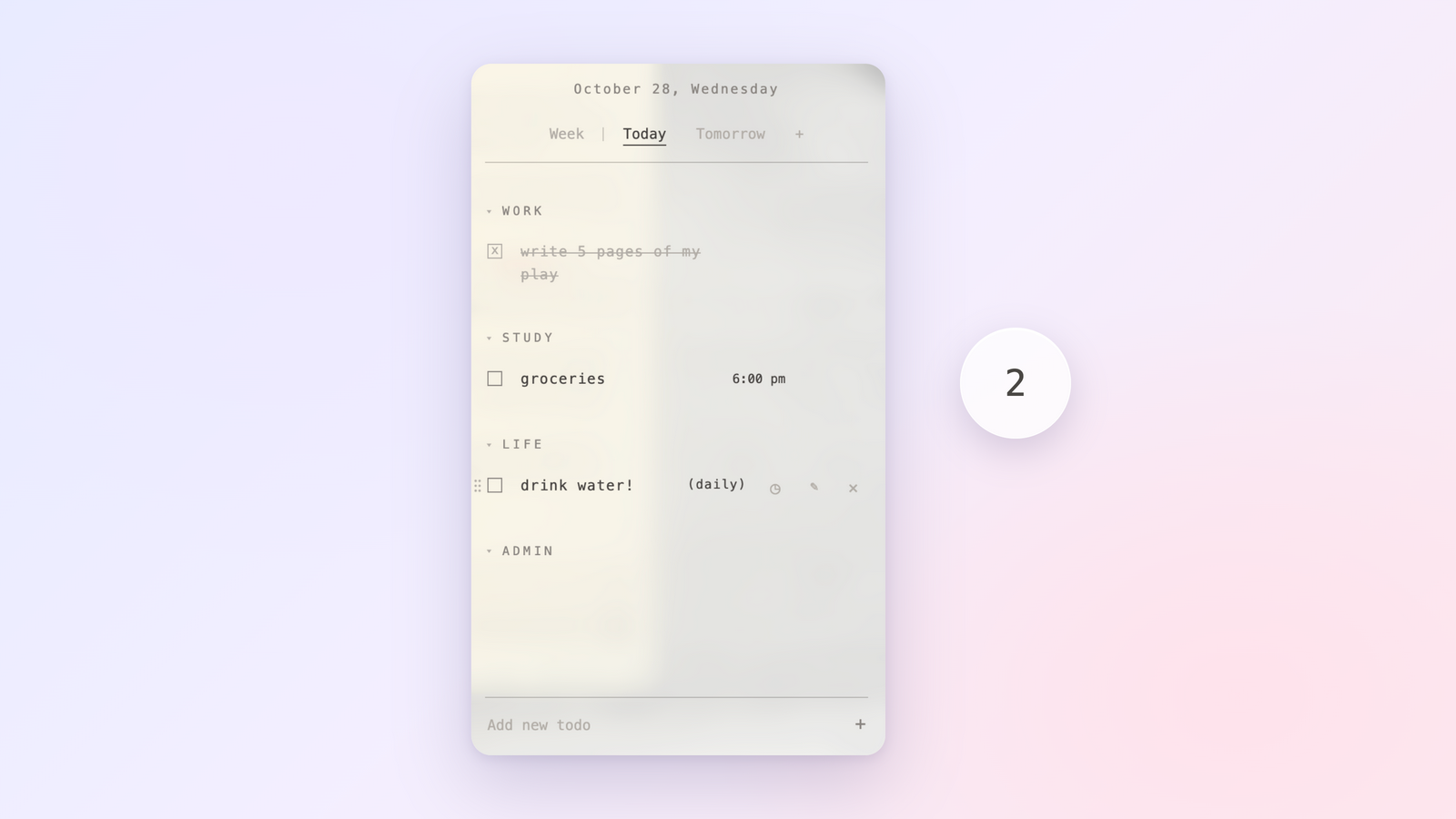
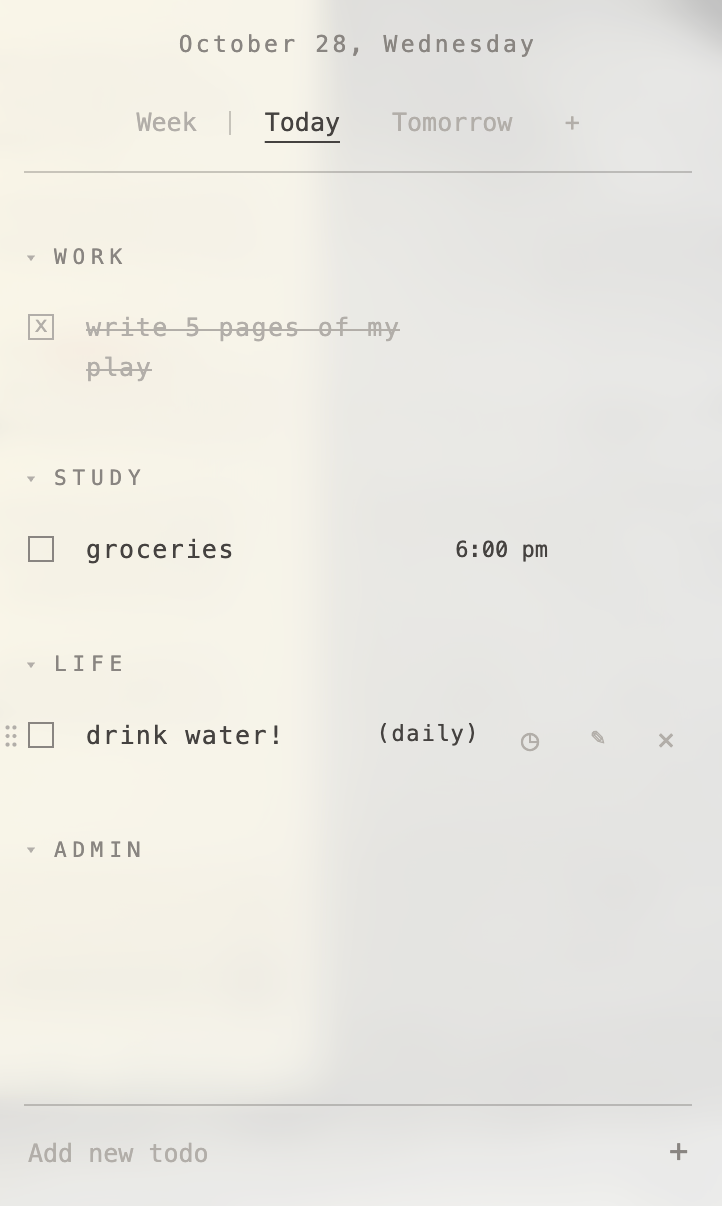
A quiet to-do list for the Mac that lives in a glass bubble on your desktop. Click it, and your day slides out.
Personal project · macOS desktop app · open source
Most to-do apps want to be opened. They live in a window you have to find, behind a Dock icon you have to click, in a layout built for managing projects rather than getting through a day. I wanted the opposite: something that stays out of the way until the moment I need it, and then feels light enough that I actually use it.
Bubblist is a small glass bubble that floats above everything on the desktop, showing how many tasks are left today. Click it and a see-through panel slides out with the day’s list. Tick something off and confetti bursts from the checkbox. Click away and it tucks itself back in.
The panel on a real desktop: the wallpaper shows through Apple’s Liquid Glass
What It Does
The Bubble
A glass disc that floats above every window and every Space, showing today’s remaining count. Drag it anywhere and it remembers where it was left. There’s no Dock icon and no window to manage. ⌘⇧Space opens the list from anywhere.
Days, Weeks, and Sections
Tabs for the week, today, tomorrow, and any date added with +. The panel always opens on today. Tasks sit in four sections (work, study, life, admin), and unfinished tasks from past days quietly roll forward instead of disappearing.
Times and Repeats
Tasks can have a time or a time frame, picked from a list or typed naturally (“2-3:30pm”). They can repeat every day, on chosen weekdays, or every week, and checking one off only counts for that day.
Direct Manipulation
Click a task’s text to cross it off. Grab it anywhere to drag it: the other rows glide aside to open a gap, and dropping it on a day’s tab reschedules it. The panel resizes from its edges and remembers its size.
A Small Celebration
Every finished task gets a burst of confetti that tumbles down under simulated gravity. Clearing the last task of the day sets off a bigger one. It’s a small thing, but it makes finishing feel like something.
Design Process
The look went through several rounds before it settled. It started as frosted glass, then became an editorial, magazine-like page with a serif masthead, then a typewriter-style manuscript set in Courier. Each version taught me something about what a list you glance at fifty times a day can carry. The serif and typewriter versions had character but slowed reading down, and heavy styling competed with the tasks themselves.
The final design keeps what worked: a light, widely spaced monospace face, soft charcoal text instead of black, section names set as small spaced capitals, and a strike-through that turns finished tasks gray rather than red. The panel itself became as clear as possible, using Apple’s own Liquid Glass material so the desktop shows through and the list feels like part of the screen rather than a window on top of it. Interaction details were tuned the same way, by using it: clicking text to cross things off, a drag that never jumps, and resize handles that appear only on hover.
How It’s Built
Two Windows, Two Processes
An Electron app with a main process that owns the windows, files, global shortcut, and login item, and two sandboxed web pages (the bubble and the panel) that talk to it only through a small preload bridge. The pages never touch the disk directly.
Native Liquid Glass
On macOS 26 the panel and bubble sit on a real NSGlassEffectView, attached through a native add-on, with the page’s own background left transparent. Older systems fall back to the standard vibrancy blur.
State → Render
No framework. All tasks live in one state object; every change updates it, saves it, and re-renders the list from scratch, so the screen can never drift out of sync with the data. Daily, weekday, and weekly repeats are stored once and track completion per day or per week.
Smooth Dragging
Instead of rearranging the list under the cursor (which makes rows jump), the drag measures every row once when it starts, works out the drop point from that fixed snapshot, and slides rows aside with CSS transforms. Nothing changes in the list until the task is dropped.
Private by Default
Everything is stored locally as a plain JSON file. No accounts, no server, no network calls. The packaged app is built with a custom script that bundles, signs, and installs it, and releases are published on GitHub.