◀ All projects
UX DESIGNMOBILE April 2026

Drift

Listen to Your Body's Boredom

A mobile app concept that detects boredom by fusing digital activity signals and physical biometrics, then surfaces context-aware interventions before the spiral takes hold.

Drift: Listen to Your Body's Boredom

Figbuild 2026 · 72-hour design challenge · Team of 3 (with Jay Jeon and Elisa Huang)

Boredom is a physical experience, but nobody tracks it. Students sit through lectures, feel their attention slip, and instinctively reach for their phones. The doom-scrolling kicks in. The boredom gets worse. Existing tools like Apple Health or Screen Time show you what happened, but not why. They can’t connect physical disengagement to digital behavior or tell you when a boredom spiral is actually starting.

What We Designed

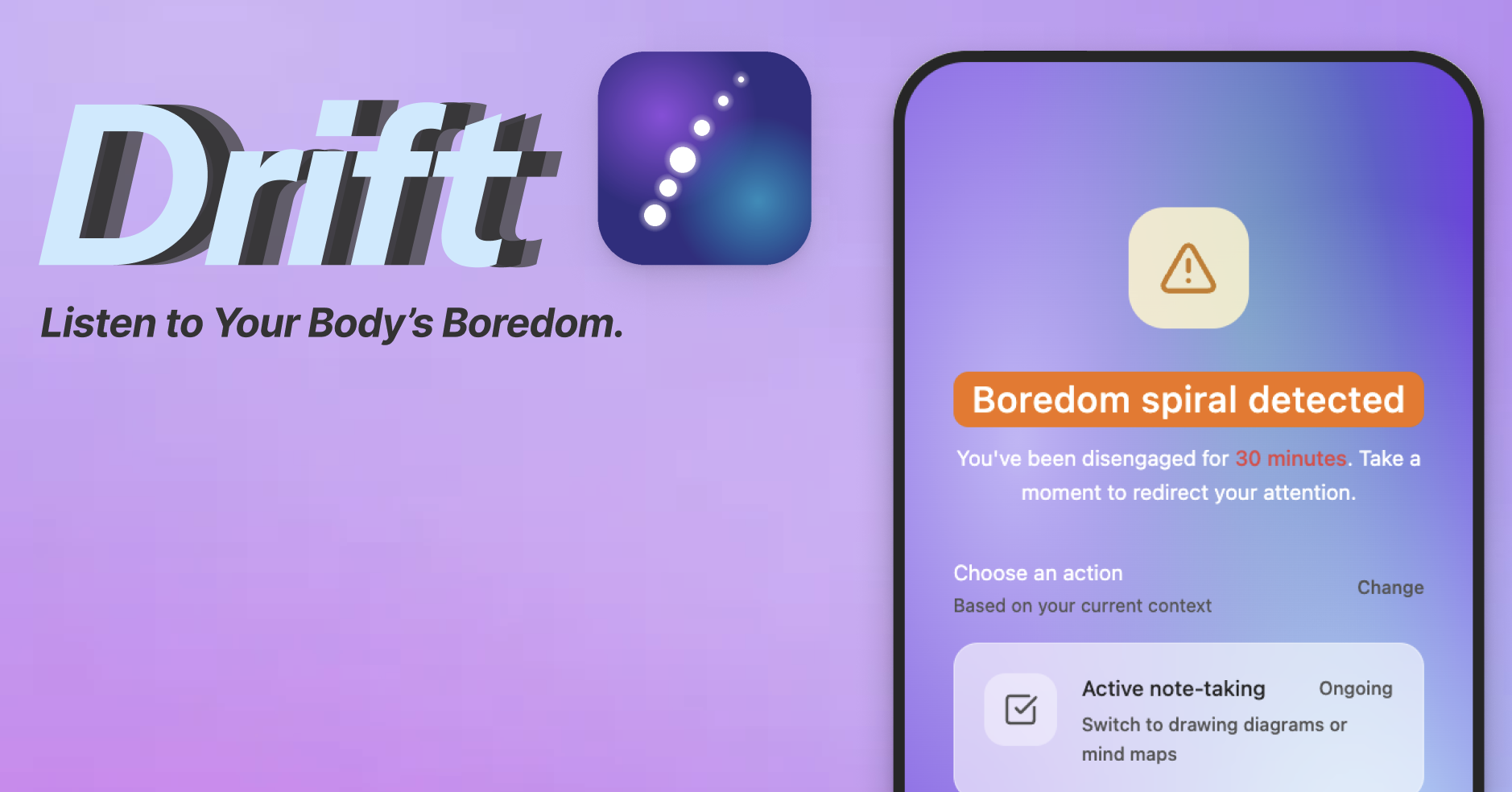
Drift detects boredom by fusing two streams of data: digital activity (tab switching, scroll speed, phone pickup frequency) and physical signals (heart rate variability, eye movement, fidgeting). When the combination hits a threshold, a “boredom spiral detected” alert surfaces a context-aware intervention. It asks what you’re doing right now, then suggests a science-backed micro-action tailored to that moment: switching to diagrams mid-lecture, setting a microgoal before the next slide, or chewing gum to restore focus.

Beyond real-time intervention, the app gives users a boredom timeline: a dashboard showing when boredom reliably hits, what triggers it, and how long it compounds. The goal isn’t just to interrupt the spiral. It’s to help users actually understand their attention patterns over time.

Features

Boredom Detection Engine
Combines digital activity signals (tab switching patterns, scroll speed, phone pickup frequency) and physical biometrics (heart rate variability, eye movement, fidgeting) into a single cumulative attention score. When the score crosses a threshold, Drift knows you’re spiraling before you do.
Boredom Spiral Alert
A seamless system overlay that surfaces at exactly the right moment, not as a notification you swipe away, but an in-context interrupt that asks what you’re doing right now and offers actions matched to that situation.
Context-Aware Interventions
Drift doesn’t give generic advice. It reads your current context (in a lecture, studying, leisure) and suggests science-backed micro-actions accordingly: switching to diagrams, setting a microgoal before the next slide, chewing gum to restore alertness. Actions are tagged by duration so you know what you’re committing to.
Boredom Timeline Dashboard
A visual history of your attention patterns over today, 3 days, 7 days, or 90 days. Shows when boredom reliably hits, what triggers it, downstream spiral effects, and your cumulative fragmented attention score, so you can actually learn your patterns and not just react to them.
Granular Permissions and Privacy
Each data type (eye movement tracking, heart rate variability, app switching, scroll patterns, calendar sync) is presented as a separate permission with a plain-language explanation. Raw sensor data never leaves your device via on-device ML, with AES-256 encryption and zero third-party tracking.
Onboarding Flow
A three-step onboarding designed to build trust before asking for anything: a value pitch that reframes boredom as trackable, a transparent permissions flow, and a data sync screen that doubles as the first visual reveal of the Drift aesthetic.

How We Built It

All in Figma. We designed the full end-to-end experience: onboarding (including a deliberate white-to-purple reveal moment as users enter the Drift aesthetic), a granular permissions flow that separates each data type individually for transparency rather than bundling them into one ask, a data syncing screen, the boredom timeline dashboard, and the live intervention overlay. The design system, component library, and all screens were built from scratch in 72 hours.

Every UX decision had a rationale. The three-option intervention cards were chunked for memory load, the permissions screen included expandable privacy details because the app handles sensitive biometric data, and the onboarding copy was written to reframe boredom as something trackable rather than something shameful.

App

Drift — interactive Figma site, click through to explore

Presentation

Figbuild 2026 final presentation

Skills

Design
Figma · mobile UX design · design systems · component architecture · interaction design · information architecture
Process
UX writing · rapid prototyping · 72-hour sprint

End of file

You made it to the end! Coin already collected

+1 coin · +25 XP. Thanks for reading this far. You’ve read this one before. Thanks for coming back.