A Claude Code skill that reads a repo, works out why the old way hurts and what makes the product different, records the real app doing the job, and cuts it into a launch video that matches the app's own style.
Personal project · Claude Code skill · TypeScript, Swift, Remotion
At Tavern Research I built an agent that turned a two-hour tutorial video into a three-minute job. Afterwards I kept noticing the same problem on the side: every small app I made deserved a short video, and I never made one. Recording takes an afternoon, and the result usually turns into a feature tour nobody finishes. “Make an automated demo generator” sat on my own Half-Baked shelf for a while before I baked it.
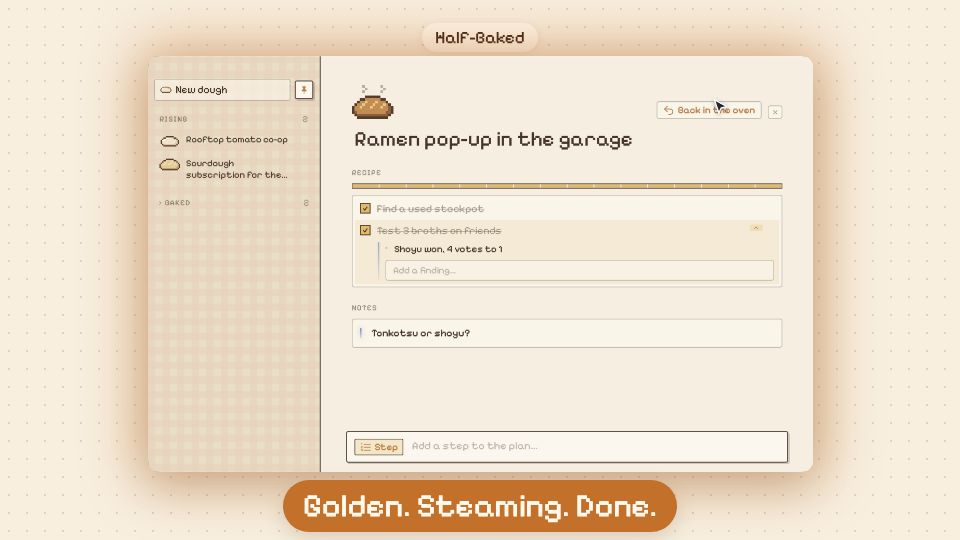
DemoDay is that generator. Point it at a repo (on GitHub or a local folder) and the app it ships (a website or a native Mac app), and it produces a 45–75 second 1080p video with a real recording of the product at its center. The video below was made entirely by DemoDay, of Half-Baked.
Made by DemoDay: the Half-Baked launch video, from the repo to the final cut, sound effects included
What Makes a Demo Worth Watching
Before writing any code I read up on why some product videos get watched to the end and most don’t. The answers were consistent, and each one became a rule the tool enforces:
Lead With the Pain
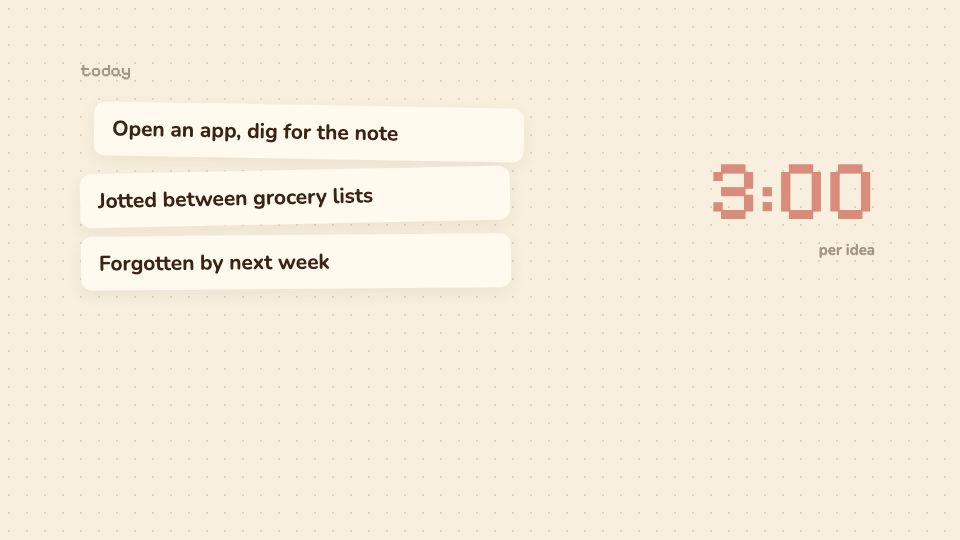
The first three seconds decide whether anyone keeps watching, so the video opens on the problem, never on a logo. Then it walks through the way people do the job today, step by step, with an honest time cost on each step, so the viewer recognizes their own afternoon.
One Real Workflow, Not a Tour
The product then does the same job, start to finish, in a real recording with realistic data. The camera pushes in on every click, waiting is fast-forwarded, and one “aha” moment gets a pull-back reveal.
Prove the Difference
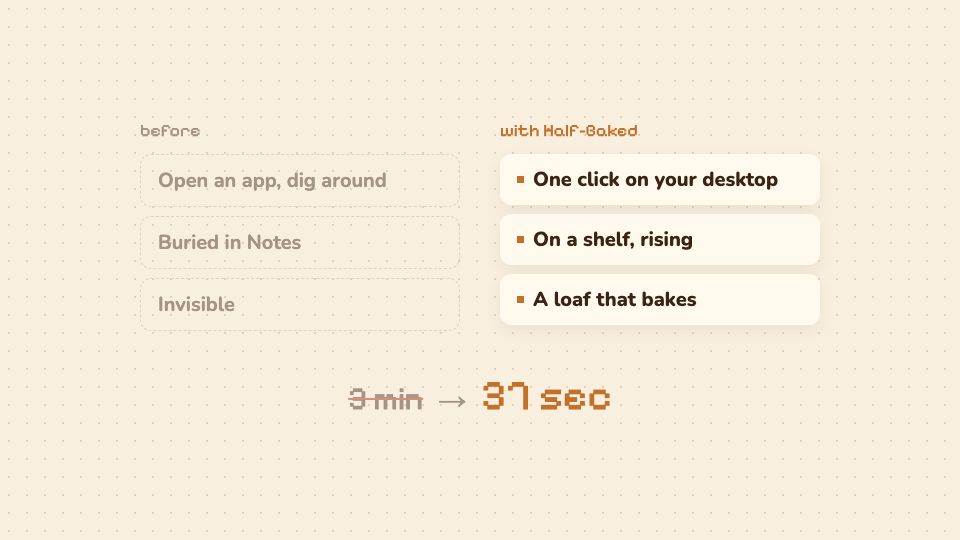
A before/after compares the two on the same terms. The “3 min → 37 sec” line isn’t a claim someone typed: it’s the old way’s cost against the measured length of the actual recording.
Say What Only You Can Do
The closing beat names what this product does that others don’t, taken from how the code actually works, not from adjectives. Every line is short enough to read with the sound off, because most people watch muted.
The before/after beat. The time on the right is measured from the recording itself
It Dresses Like the App
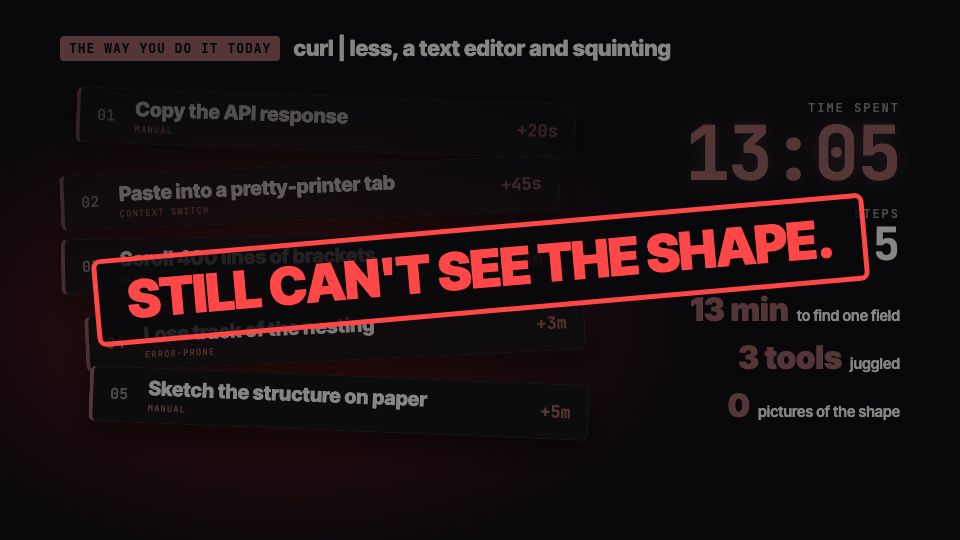
My first version used one dark, loud template for everything. It looked great on a developer tool and completely wrong on a cozy pixel bakery. Now DemoDay reads the app’s own design from its code (colors, bundled fonts, app icon, mascot) and picks a soft or bold style to match. It even borrows the app’s own words, so Half-Baked’s captions talk about dough, rising and baking.
Soft, for Half-BakedBold, for JSON Crack, an open-source developer tool
How It Works
Claude Directs
DemoDay is a Claude Code skill. Claude reads the README and the code, looks at the live app, and writes a storyboard: the hook, the old way, the workflow to record, the before/after and the closing line. The storyboard is a typed JSON file, so it can be edited by hand and re-rendered.
Recording the Real Thing
Before writing a single step, it takes an accessibility snapshot of the app, so every click targets a control that really exists. Websites are recorded with Playwright. Native Mac apps are driven through the macOS Accessibility API with real mouse and keyboard events, while ScreenCaptureKit records only the app’s window. Every step logs its timing, its on-screen position and the cursor path. When a step fails, the snapshot from that moment shows what went wrong.
Edited Like a Person Would
An edit pass keeps every interaction in real time and fast-forwards the waiting in between. The video is assembled in Remotion, which renders video from React code. The camera zooms from the logged positions, a smooth cursor is redrawn over the footage, and sound effects (key clicks, mouse clicks, whooshes) are synthesized in code and timed to the recorded events.
Safe on a Real Mac
Recording an app shouldn’t touch anyone’s real data. Mac apps are launched in a demo mode with a throwaway data folder and sample content, a mode I added to Half-Baked for exactly this. If macOS permissions are missing, it opens the right System Settings page instead of failing halfway through a take.
Try It
DemoDay is open source. If you use Claude Code, install it with one line, then ask Claude for “a launch video for owner/repo”: